Chess Rush Play & Learn Online
- 4.8
- Rating
- 100.00K
- Installs
- Free
- Price

 Analysis by App-foxy
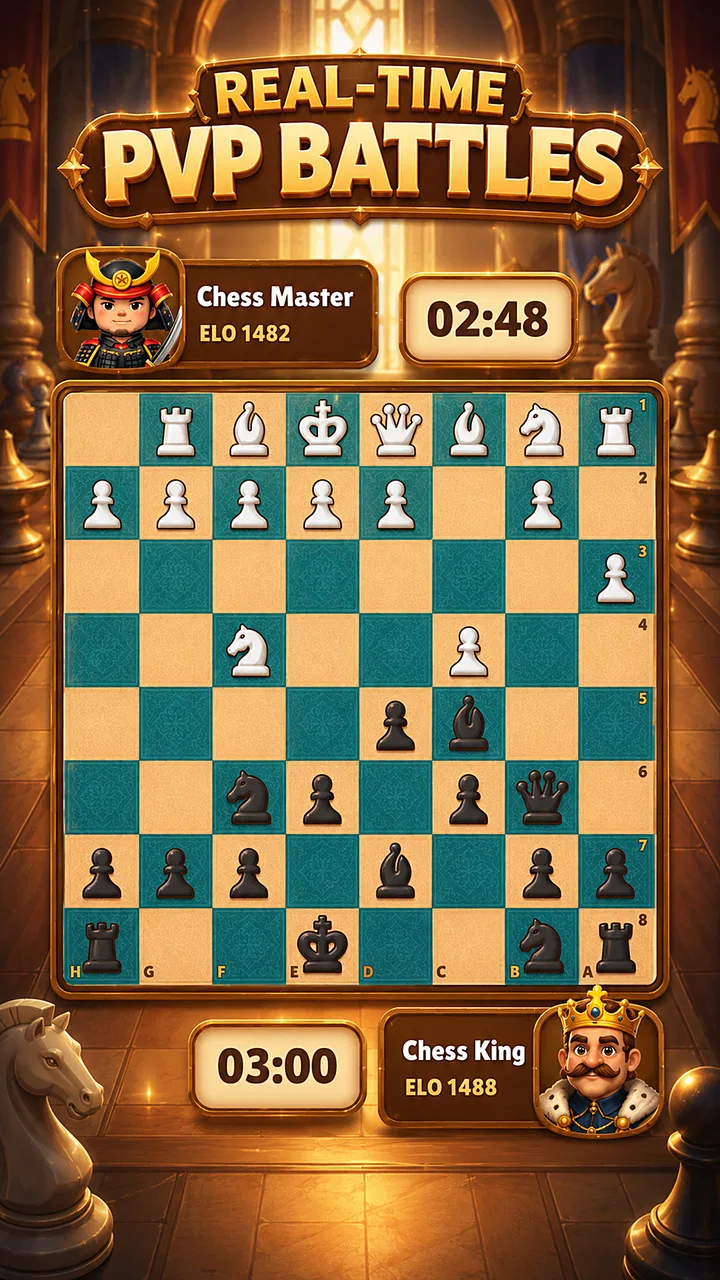
Chess Rush Play & Learn Online is a free board game from ZOE STUDIOS that I found easiest to understand as a two-part chess companion: something to play when I want a quick mental challenge, and something to use when I need a more guided way to study. Its focus is online chess, puzzles, lessons, and checkmate practice, so it is aimed at players who want more structure than simply opening a chessboard and starting a match.
What stood out to me first was the way the game gives a beginner several clear starting points. You do not have to decide immediately whether you are ready for a full game. A puzzle can be a short warm-up, a lesson can explain an idea before you try to apply it, and checkmate training gives a more focused target. That makes the app approachable for someone who knows how the pieces move but still feels lost once an actual position becomes complicated.
After spending time with it, I would describe the experience as practical rather than flashy. The appeal is not a large collection of unrelated distractions. It is the feeling of having small chess tasks available whenever I have a few spare minutes. The best reason to try it is its combination of immediate play and guided practice, although players looking for a deep tournament platform or a highly social chess community may eventually want a more specialized alternative.
You May Also Like

 Blood Strike: 2.5 Anniversary
Blood Strike’s Loadouts Turn Every Drop Into a Tactical Gamble
A close look at Blood Strike’s custom loadouts: how fast access to signature weapons reshapes its battle royale rhythm, rewards preparation, and narrows the gap between fights.

 Pandora - Music & Podcasts
Pandora’s Music Is Easy to Start, but Harder to Recover
Pandora’s strength is its low-effort path from a seed to a station. Its weak spot is how much confidence it asks you to place in connection, setup, and quiet recovery.

 8 Ball Pool
8 Ball Pool Is Built on Rivalries, Rematches, and Routine
A close look at the rivalries, rematches, shared routines, and unanswered safety questions that turn a quick pool match into a persistent mobile community.

 Samsung Music
Samsung Music’s Quiet Strength Is Playing What You Already Own
Its reach comes less from spectacle than from dependable access to a personal library. That simplicity is both the app’s strongest retention engine and its ceiling.

 AccuWeather: Weather Radar
AccuWeather Review: A Quick, Clear Forecast for Everyday Decisions
For everyday plans, the best forecast is the one you can understand quickly. AccuWeather makes rain timing, radar, and local conditions easy to act on, with a few trade-offs.

 Hill Climb Racing
Why Hill Climb Racing Still Turns Crashes Into One More Run
A tiny car, a bumpy hill and one more upgrade: Hill Climb Racing keeps resurfacing because its simple chaos makes every near-miss feel personal.
More From Our News Desk



How the first goals shape the experience
The early goals in this game are easy to recognize: solve a puzzle, follow a lesson, improve at checkmates, and then take those ideas into online play. I like that these goals are more useful than simply rewarding time spent inside the app. They point toward actual chess improvement. Even a short session can have a purpose, which is valuable when I am not in the mood for a complete game.
For a new player, I would start with lessons rather than jumping straight into online matches. Chess can feel random at first because every move changes the position, and a lesson provides a little direction before the pressure of an opponent appears. Once a concept feels familiar, checkmate training is a sensible next step because it narrows the problem. Instead of asking what to do in an entire position, I can concentrate on recognizing a winning finish.
Puzzles work well as a daily entry point. I can open the game, solve one or two positions, and leave without feeling that I abandoned a long match. That short-session quality is one of the strongest design choices here. It also creates a natural routine: puzzles for quick practice, lessons when I want explanation, and online play when I have enough time to think through a complete contest.
There is a trade-off, though. Players who already understand openings, tactics, and basic checkmates may find the early learning path less exciting than a dedicated competitive chess service. The app’s appeal depends heavily on whether the mixture of study and play matches your current level. Beginners and casual improvers have more to gain from the guided structure than experienced players who mainly want serious analysis.
Small targets are more useful than vague improvement
One practical habit I developed was choosing a single objective before starting. Rather than telling myself to “play better,” I might focus on spotting checks, avoiding an unprotected piece, or looking for a mating pattern. The game’s lessons, puzzles, and checkmate practice make that kind of narrow objective feel natural. It turns a match into a test of one skill instead of an overwhelming judgment of my whole chess ability.
This approach also helps with frustration. Losing online can make improvement feel invisible, especially for a beginner. A puzzle solved correctly or a checkmate pattern recognized during a lesson gives a more immediate sense of progress. I would not treat every successful exercise as proof that my playing strength has changed, but these smaller signals make practice easier to continue.
Progress signals and what they really mean
The app’s progress is most convincing when I judge it through behavior rather than expecting a dramatic transformation. A useful sign is being able to explain why a move works, not merely finding it by trial and error. Lessons can introduce the idea, puzzles can ask me to recognize it, and a game can reveal whether I remember it when another player creates pressure.
That sequence is more valuable than repeating random matches. If I only play online, I may remember the result but not the reason behind it. If I only solve puzzles, I may become good at spotting a tactic in a carefully selected position without learning how to build a safe position beforehand. Using the different parts together gives the app a clearer learning rhythm.
I recommend keeping a simple mental note after each session: what did I miss, and which area should I revisit? If I overlooked a basic checkmate, I return to that kind of training. If I lost because I moved too quickly, I use the next game to pause before every capture. This is not an automated coaching system; it is a workflow the app makes convenient because the relevant practice modes sit close together.
The public response suggests that many people find the overall package appealing. The game holds a 4.8 average from around two thousand ratings and has passed one hundred thousand installs. Those figures do not tell me whether every player enjoys the same level of challenge, but they do indicate that the basic combination of chess play and learning has connected with a substantial audience.
One limitation is that progress can feel less concrete if I expect a detailed long-term training record. The experience is strongest when I actively connect exercises to my own goals. Someone who wants extensive performance charts, formal ranking analysis, or a carefully measured study curriculum may prefer an app built specifically around those functions. Here, the value comes from the accessible practice loop rather than from turning every session into a report.
Using the modes as a personal study loop
My preferred routine is to begin with a short puzzle, move to a lesson if the position exposes a weakness, and finish with either checkmate practice or an online game. The order matters. Starting with a puzzle wakes up my attention, while ending with a game tests whether the lesson survives outside a controlled exercise. On a busy day, I can stop after the puzzle without feeling that the session was pointless.
Another useful approach is to reverse the order after a difficult loss. I can first identify the moment where the game went wrong, then use the learning sections to rebuild the missing idea. This is more productive than immediately starting another match while annoyed. The app supports that pause because it offers something constructive to do between games.
I would not use every mode in every session. Doing so can make practice feel like homework, especially for someone who installed the game mainly for relaxation. The flexible part is choosing one small activity and one longer activity. For example, a puzzle followed by a casual game is enough for an evening, while a lesson followed by checkmate practice suits a more focused study session.
Difficulty, challenge, and pacing
The difficulty curve feels most manageable when I move gradually from explanation to application. Lessons reduce the initial uncertainty, puzzles ask for a decision, and online chess removes the safety of a prepared exercise. That progression creates a sensible rise in challenge without requiring a beginner to begin with the most intimidating part of chess.
Still, online play is naturally less predictable than training content. A position can become difficult for reasons that have nothing to do with the lesson I just completed. An opponent may choose a move I have never seen, or I may understand a principle in theory but fail to use it quickly. I see that inconsistency as part of chess rather than a flaw unique to this game, but it means the jump from study to competition can feel sharp.
Checkmate training helps soften that jump because it isolates one of the clearest tactical goals. It is especially useful for players who reach a winning position but struggle to finish. I found it more practical than endlessly replaying full games when my immediate weakness was recognizing the final pattern. The limitation is that checkmate skill alone does not solve problems involving development, planning, or endgame technique, so it should be treated as one tool rather than a complete course.
Puzzles can also create a misleading sense of readiness if I rush through them. In a puzzle, I already know that a tactical answer exists. In a real game, I first have to notice that the position deserves a tactical search. My advice is to spend a moment asking what changed before looking for a spectacular move. That habit transfers better than simply chasing the fastest solution.
When the challenge becomes useful pressure
The online component gives the app its most meaningful test. Lessons are comfortable because they explain; puzzles are focused because they narrow the choices. A human opponent adds uncertainty, and that is where I discover whether I can manage time, attention, and nerves. For a casual player, this makes the game feel alive. For a learner, it reveals which ideas have not yet become automatic.
At the same time, online play is not ideal for every mood. If I want a calm, predictable session, a lesson or puzzle is better. If I am already frustrated, another competitive game may only reinforce hurried decisions. The app is more enjoyable when I choose the mode according to my energy instead of treating online matches as the only meaningful activity.
Players who dislike chess because of its slow thinking may not find this game changes that fundamental character. The learning tools make the time more purposeful, but they do not remove the need to study a position. Likewise, people seeking a fast arcade experience should skip it; the board-game format rewards patience, and the most satisfying moments usually come from noticing an idea rather than reacting instantly.
Retention without turning practice into a chore
The strongest reason to return is the variety of session lengths. I can make progress with a brief puzzle, spend longer with a lesson, or commit to an online game when I have the time. That flexibility supports a realistic routine better than an experience that only feels worthwhile after a long session.
There is also a natural curiosity loop. After learning a pattern, I want to see whether I can recognize it in a new position. After missing a checkmate, I want another chance. These are healthy forms of retention because they come from wanting to understand chess better, not merely from collecting empty rewards.
However, the free-to-start model includes in-app purchases ranging from $0.99 to $99.99 per item. That range is important to keep in mind before treating the game as a completely cost-free long-term tool. I would begin with the available free experience and decide whether the learning and play options already fit my needs before spending anything. The app is free to install, but players should still approach optional purchases deliberately rather than assuming every part of extended use will feel identical without them.
The age rating is Everyone, which makes the presentation suitable for a broad audience. In practical terms, that makes it a reasonable choice for families introducing a child to chess or for adults who want a straightforward learning game rather than a complicated competitive platform. Younger players may still need help understanding why a move is correct, since a chess lesson can explain a rule without replacing patient human guidance.
For an everyday example, imagine having fifteen minutes before a commute or appointment. I would use that time for a puzzle and perhaps a short lesson instead of starting an online game that I might have to abandon. In the evening, with more time available, I could play online and then return to checkmate training if the game exposed a finishing weakness. This is where the pacing feels most convincing: the app adapts to the shape of my day.
Who should choose it, and who should look elsewhere
I would recommend it to beginners, returning players, and casual chess fans who want learning material next to their games. It is particularly suitable for someone who understands the rules but needs help turning that knowledge into decisions. The mixture also works for a parent or friend who wants to encourage regular practice without handing over a dense chess textbook.
I would be more cautious for advanced competitors. If your priority is deep opening preparation, detailed post-game analysis, a highly developed tournament environment, or a large social ecosystem, a dedicated chess platform may be the better choice. This game’s strength is its approachable blend of practice and online play, not its suitability as the only tool for serious competitive development.
I would also skip it if I want a purely offline board experience with no interest in lessons, puzzles, or online opponents. The learning structure is central to the identity of the game. Removing that part would leave me with fewer reasons to choose it over a basic chessboard app.
My verdict on the progression
Chess Rush Play & Learn Online succeeds because its progression is easy to understand without being limited to one activity. The early goals are concrete, the progress signals come from solving and applying ideas, and the challenge rises naturally when I move from guided practice into online play. I especially appreciate that a session can be short without becoming meaningless.
Its weaknesses are equally clear. Chess improvement still depends on personal discipline, and the app cannot guarantee that a lesson will transfer into a real match. Competitive play may feel demanding after a gentle exercise, while experienced players may outgrow the guided emphasis. The presence of optional purchases also means I would pay attention to what I actually use before committing money.
The current version is 1.9.0, and the game is available for devices running at least iOS or Android 10. I would check that compatibility before installing, particularly on an older phone or tablet. Since it is free to start and rated for Everyone, the barrier to trying it is low, provided the device meets that requirement.
My final recommendation is positive, with a clear condition: choose it as a practical chess-learning companion, not as a promise of instant mastery. I like the way it gives me a reason to open the board even when I lack time for a full match. If you want approachable puzzles, lessons, checkmate practice, and online games in one place, Chess Rush Play & Learn Online is an easy game to recommend. If you need elite-level analysis or a specialized competitive environment, I would pair it with a more advanced chess service instead of relying on it alone.
FAQs for Chess Rush Play & Learn Online
01What is Chess Rush Play & Learn Online?
Chess Rush Play & Learn Online is a chess-focused mobile app designed to help users play, practice, and improve their understanding of the game. It typically combines online matches, puzzles, lessons, and interactive training tools in one place. The app may suit beginners learning the rules as well as experienced players seeking regular practice against other users.
02Can beginners use Chess Rush Play & Learn Online effectively?
Yes, the app is intended to be accessible to beginners, although the available learning features can vary by version and platform. New players can use it to become familiar with piece movement, check, checkmate, openings, and basic tactics. It is still helpful to understand the fundamentals first, because online opponents may have considerably more experience.
03Does Chess Rush Play & Learn Online require an internet connection?
An internet connection is generally needed for online multiplayer games, account functions, rankings, and any features that communicate with the app’s servers. Some lessons, puzzles, or practice modes may remain available offline, depending on the version installed. For the smoothest experience, use a stable Wi-Fi or mobile-data connection, especially during live matches.
04Is Chess Rush Play & Learn Online free to download and use?
The application may be available as a free download, but users should check the Google Play Store or Apple App Store listing for the current conditions. Free versions can include advertisements, optional purchases, premium lessons, or subscription-based features. Before confirming any payment, review the pricing, renewal terms, and account settings shown on your device.
05Is Chess Rush Play & Learn Online safe for children?
The app can be suitable for children who enjoy chess, but parents should review its online and social features before allowing independent use. Multiplayer communication, advertisements, purchases, and data permissions may require supervision. It is advisable to use parental controls, disable or restrict in-app purchases, and check the app’s privacy policy and age rating before installation.
Pros
- Interactive lessons help beginners understand chess fundamentals.
- Online play lets users practice against opponents with different skill levels.
- Puzzles provide short
- focused exercises for improving tactical awareness.
- Progress tracking makes it easier to monitor learning and practice habits.
- The interface is generally accessible on both phones and tablets.
Cons
- Some advanced lessons or features may require in-app purchases.
- A stable internet connection is needed for most online matches.
- Matchmaking quality can vary depending on player availability.
- Ads may interrupt the experience for users on the free version.
- Younger players may need guidance to understand more complex concepts.

Chess Rush Play & Learn Online
Gallery